

2.x
2.1.1 (TakeTwo Update 1)
Released 10 September 2026 This update contains important bug fixes and feature improvements. App Availability: iOS 18.0+, iPadOS 18.0+, macOS Sequoia 15.0+, visionOS 26.0+2.1 (TakeTwo)
Released 28 July 2026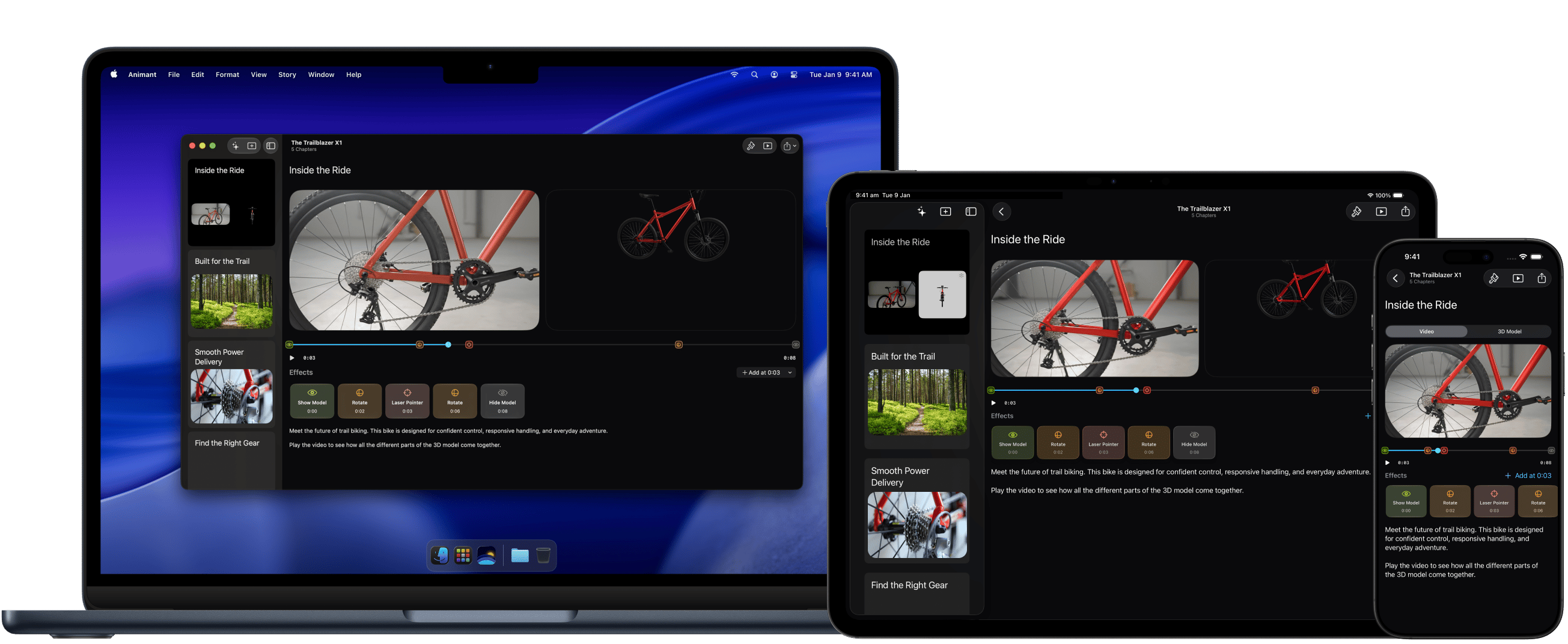
- A refreshed interface with a cleaner design and improvements to the timeline workflow, making it easier than ever to create and refine effects
- Animant for visionOS has a new multi-window layout that takes full advantage of the space around you
- A new Reveal effect can show or hide your 3D model at specific parts of your video
- Support for showing a face-cam over a 3D model on iPhone, iPad, and Mac
- Support for recording laser pointers in 3D
- Support for recording audio and video inside the chapter editor
- Support for recording with Persona on visionOS
- Support for exporting 3D scans to multiple formats with Animant Pro
- Support for importing 3D (.reality) scenes created in Reality Composer
- Support for generating chapter notes from media (requires iOS 26.0+, iPadOS 26.0+, macOS 26.0+, or visionOS 26.0+ and a device that supports Apple Intelligence)
- Support for resizing the split between media when viewing a chapter
- Support for naming effects
- Support for folder management
- Bug fixes
- Starting with Animant 2.1, Magic Chapter requires a device that supports Apple Intelligence running iOS 26.0+, iPadOS 26.0+, macOS Tahoe 26.0+, or visionOS 26.0+.
- Support for Animant 2.0.6 will end on 30 September 2026. After this date, Magic Chapter will no longer work until you upgrade to Animant 2.1 or later.
- Magic Effects has been discontinued, and will stop working on Animant 2.0.6 and earlier after 30 September 2026.
- Classic layouts, serif typefaces, and custom title widths are no longer available.
- Images are no longer supported in chapters. After opening a chapter that contains an image, you’ll have the option to save that chapter’s images.
- Stories saved in Animant 2.1 or later cannot be opened in Animant 2.0.6 or earlier.
- Animant Remote for Apple Watch has been discontinued.
- SharePlay support has been discontinued.
2.0.6 (Spring 2025 Update 6)
Released 14 June 2026 This update contains bug fixes and stability improvements. App Availability: iOS 18.1+, iPadOS 18.1+, macOS Sequoia 15.1+, visionOS 26.0+, watchOS 10.0+2.0.5 (Spring 2025 Update 5)
Released 6 December 2025 New in this release:- Added support for manually taking photos in Object Capture using the iPhone Camera Control
- Added support for creating images with Image Playground (requires a device with Apple Intelligence enabled)
- Bug fixes
- This update drops support for iOS 18.0 and macOS 15.0, and now requires a minimum OS version of iOS 18.1 and macOS 15.1.
2.0.4 (Spring 2025 Update 4)
Released 15 November 2025 New in this release:- Added support for Apple Pencil Hover, Squeeze, and Double-Tap
- Removed the limit on the number of free stories
- Bug fixes
2.0.3 (Spring 2025 Update 3)
Released 1 November 2025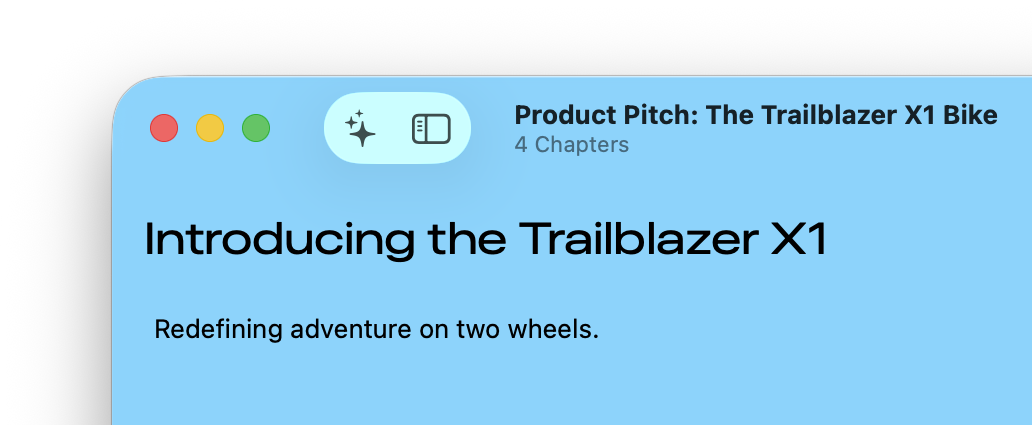
- Title font widths can now be adjusted for better customisation
- Improved the legibility of text when viewed against contrasting background colours
- Added support for alternative colour spaces
- Bug fixes
2.0.2 (Spring 2025 Update 2)
Released 18 October 2025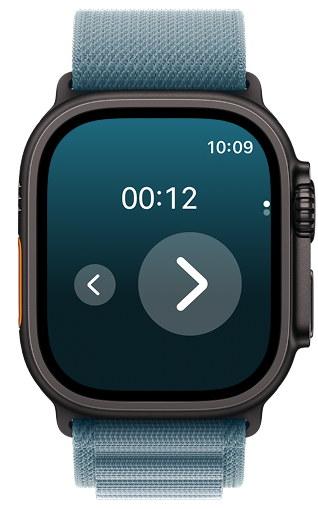
- Animant comes to Apple Watch! Use the Animant app on watchOS to control a live presentation on your paired iPhone.
- Bug fixes
2.0.1 (Spring 2025 Update 1)
Released 11 October 2025 New in this release:- Added the ability to manually adjust the timestamps of Media Effects
- Added gesture support for 3D models on visionOS
- Bug fixes when connecting to Animant Cloud
- Fixed a bug where images may have appeared cropped when using Magic Chapter on a document
- Fixed a bug where cropping controls may have appeared misaligned when importing an image on iOS 26
- Fixed a bug where controls to adjust the bounding box in Object Capture may not have responded
- Performance improvements when using Magic Chapter
- This update drops support for visionOS 2.
- Magic Chapter and Magic Effects is no longer available on Animant 2.0 and now requires Animant 2.0.1 or later.
2.0 (Spring 2025)
Released 13 September 2025
- Chapters are the primary elements of a presentation. Choose from a variety of layouts to add text, images, audio, and video, including a new dual media layout.
- Introducing Magic Chapter: Import an existing audio, video or PDF file and let Animant create chapters based on your most important content with text paraphrasing and multimedia clipping. Animant can also suggest specific Media Effects to draw attention to details in your chapter.
- Introducing Media Effects: Record your interactions with 3D models and play them back in realtime when people view a chapter’s video.
- Introducing Magic Effects: Animant can understand the context of your audio and automatically create Media Effects based on your speech to highlight different parts of 3D models
- Images can now appear as Spatial Scenes on visionOS 26.
- Adopted the new Liquid Glass design on supported OS versions.
- Added Story Summaries in the Gallery for devices with Apple Intelligence running the latest OS.
- Added more actions for Shortcuts.
- Bug fixes.
- Magic Chapter and Magic Effects are generative AI features and may make mistakes. Please submit feedback to help improve these features.
- Animant 2.0 is the final version that will support visionOS 2. Future versions of Animant will require visionOS 26.
- Spatial Scenes require visionOS 26.
- Projects saved in Animant 2.0 or later cannot be opened in Animant 1.5 or earlier.
- Legacy projects with 3D Scenes have been deprecated.
- Remote Object Capture has been discontinued. Object Capture requires an iPhone or iPad with LiDAR Scanner or a compatible Mac with photos of the subject.
- Animant 1.x is no longer available for download.