

3.x
3.1.5 (Calligraphy Update 1.5)
Released 10 September 2026 New in this update:- Magic Summary can now analyze images contained within your pages when generating cards (requires iOS/iPadOS/macOS/visionOS 27 and a device that supports Apple Intelligence)
- Bug fixes
3.1.4 (Calligraphy Update 1.4)
Released 22 June 2026 This update includes the following improvements:- Fixed a bug where audio transcriptions and summaries may have been unavailable when the recording language differed from English
- Improved the stability of audio transcriptions
3.1.3 (Calligraphy Update 1.3)
Released 1 April 2026 This update fixes a bug where images may have appeared in an incorrect orientation. App Availability: macOS Tahoe 26.0+3.1.2 (Calligraphy Update 1.2)
Released 7 February 2026 This update includes the following improvements:- Added support for Quick Look on iOS and macOS
- Bug fixes
3.1.1 (Calligraphy Update 1.1)
Released 17 January 2026 This update includes bug fixes. Availability: iOS 26.0+, iPadOS 26.0+, macOS Tahoe 26.0+, visionOS 26.0+3.1 (Calligraphy Update 1)
Released 16 January 2026 This update includes the following improvements:- Introducing Audio Topic Summaries: AxNote finds key topics discussed in your recordings and can provide summaries and answers using your recording as a source of truth.
- Added support for audio transcript search
- Bug fixes
- Notes created in AxNote 3.1 and later cannot be opened in AxNote 3.0.1 or earlier.
3.0.1 (Calligraphy Update 0.1)
Released 6 January 2026 This update includes the following improvements:- Added support for thumbnails
- Added a new Laser Pointer tool
- Added support for importing and exporting CSV files to tables
- Added an audio visualiser when recording
- Added tooltips to toolbar items
- UI improvements for visionOS
- Bug fixes and performance improvements
- Notes created in AxNote 3.0.1 and later cannot be opened in AxNote 3.0 or earlier.
3.0 (Calligraphy)
Released 24 December 2025
- Introducing Magic Summary: Turn text, handwriting, and audio recordings into summary cards. Export summaries to PDFs or plain text for use in other platforms. (Requires a device with Apple Intelligence)
- Added support for audio recording and transcription
- Added support for multiple pages inside a single document
- Snap shapes by holding down your Apple Pencil
- Added support for vector shapes
- Adopted the new Liquid Glass design in iOS 26, iPadOS 26, and macOS Tahoe 26
- Added support for HDR inks and images
- Text boxes and the canvas are now unified
- Added integration with Image Playground (requires a device with Apple Intelligence)
- Unified Sections and Pins in the new Bookmarks feature
- This update drops support for iOS 15, iPadOS 15, macOS Big Sur 11, and visionOS 1.
- Notes created in AxNote 3 and later cannot be opened in AxNote 2.3.1 or earlier.
- This update drops support for creating and editing documents saved in the Legacy AxNote Document (.xnd) format. Older files can still be viewed.
- SharePlay collaboration is currently unavailable and will return in a future update.
2.x
2.3.1 (Fluent Update 3.1)
Released April 2024 This update contains performance and usability improvements across all platforms:- Introducing AxNote for Apple Vision Pro. Create, edit, and visualize all on an infinite canvas that’s larger than life.
- Added support for new markup tools (requires iOS or iPadOS 17 or later).
- Added support for barrel-roll drawing with Apple Pencil Pro (requires iOS or iPadOS 17.5 or later).
- Improved stability
2.2.1 (Fluent Update 2.1)
Released 23 January 2023 This update contains iPhone and Split View usability improvements, as well as additional bug fixes. Availability: iOS 14.0+, iPadOS 14.0+2.2 (Fluent Update 2)
Released 8 December 2022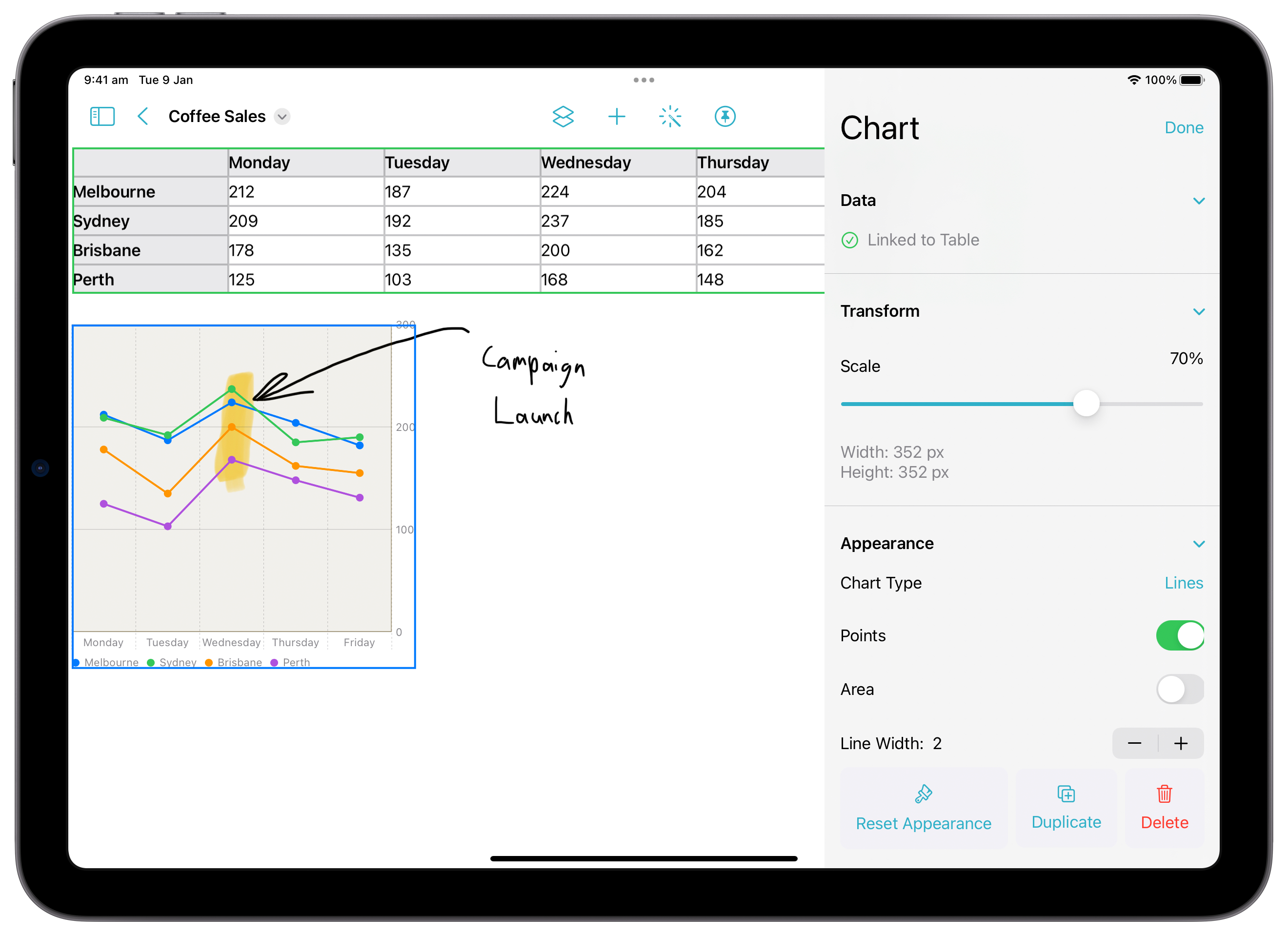
- Charts: Create beautiful data visualizations from your Tables (requires iOS 16)
- Collaboration: Start a SharePlay session from within AxNote (requires iOS 15.4 or later)
- Introduced AxNote to the iPhone
- Improved Accessibility usage
- Enhanced Split View and Slide Over usage
- Tables have been redesigned with header rows and columns
- UI refinements
- Introduced the ability to customize the toolbar (requires iPadOS 16)
- Introduced a refreshed onboarding experience
- Context menus for objects now display relevant options
- Fixed a bug where some documents may have failed to export fully
- Fixed a bug where a SharePlay session may have abruptly ended when the host closes a document
- Fixed a bug where Sections may not have synchronized over SharePlay sessions
- Notes and Layouts saved in AxNote 2.2 cannot be opened in AxNote 2.1.1 or earlier
- Earlier versions of AxNote are incompatible with iPadOS 16 and macOS Ventura
2.1.1 (Fluent Update 1.1)
Released 19 June 2022 This update fixes a bug where large documents may fail to save correctly. Availability: iPadOS 14.0+2.1 (Fluent Update 1)
Released 28 March 2022
- Added live Section previews in the sidebar.
- Added infinite horizontal scrolling.
- Added support for full-page screenshots.
- Added support for millimeter-precise line or grid spacing.
- Improved the app’s usability in Split View and Slide Over.
- Increased the canvas overscroll length for better usability on large iPads.
- Added a dotted grid Layout Style.
- Added support for custom line and margin colors and opacities.
- Text boxes can be added right where you want them just by a double tap or click.
- You can now export pins as images.
- Notes now export using the enabled layers.
- Minor UI improvements.
- Fixed a bug where notes may not properly export as images.
- Fixed a bug where a Layout background colour may not have been included in an exported PDF or image.
- Fixed a bug where a lined or grid paper Layout may not have automatically expanded with the canvas.
- Fixed a bug where a file may not have been openable through the Finder on Mac.
- Notes and Layouts saved in AxNote 2.1 cannot be opened in AxNote 2.0.2 or earlier.
2.0.2 (Fluent Update 0.2)
Released 11 March 2022 This update contains bug fixes, adds support for the native Mac toolbar, and adds support for standard keyboard shortcuts. Availability: iPadOS 14.0+, macOS Big Sur 11.0+2.0.1 (Fluent Update 0.1)
Released 20 February 2022 This update contains several improvements.- Improved the usability of the app with accessibility features like VoiceOver.
- Brought AxNote 2 to the Mac.
- Improved the accuracy of Magic Wand shapes.
- Reduced the price of AxNote+ from 9.99 USD to 7.99 USD.
- Fixed a bug where toast notifications might be unreadable when Magic Wand is active.
- Fixed a crash when selecting the ‘Sections’ label in the sidebar.
- Fixed a crash that sometimes occurred when selecting a Layout.
2.0 (Fluent)
Released 12 February 2022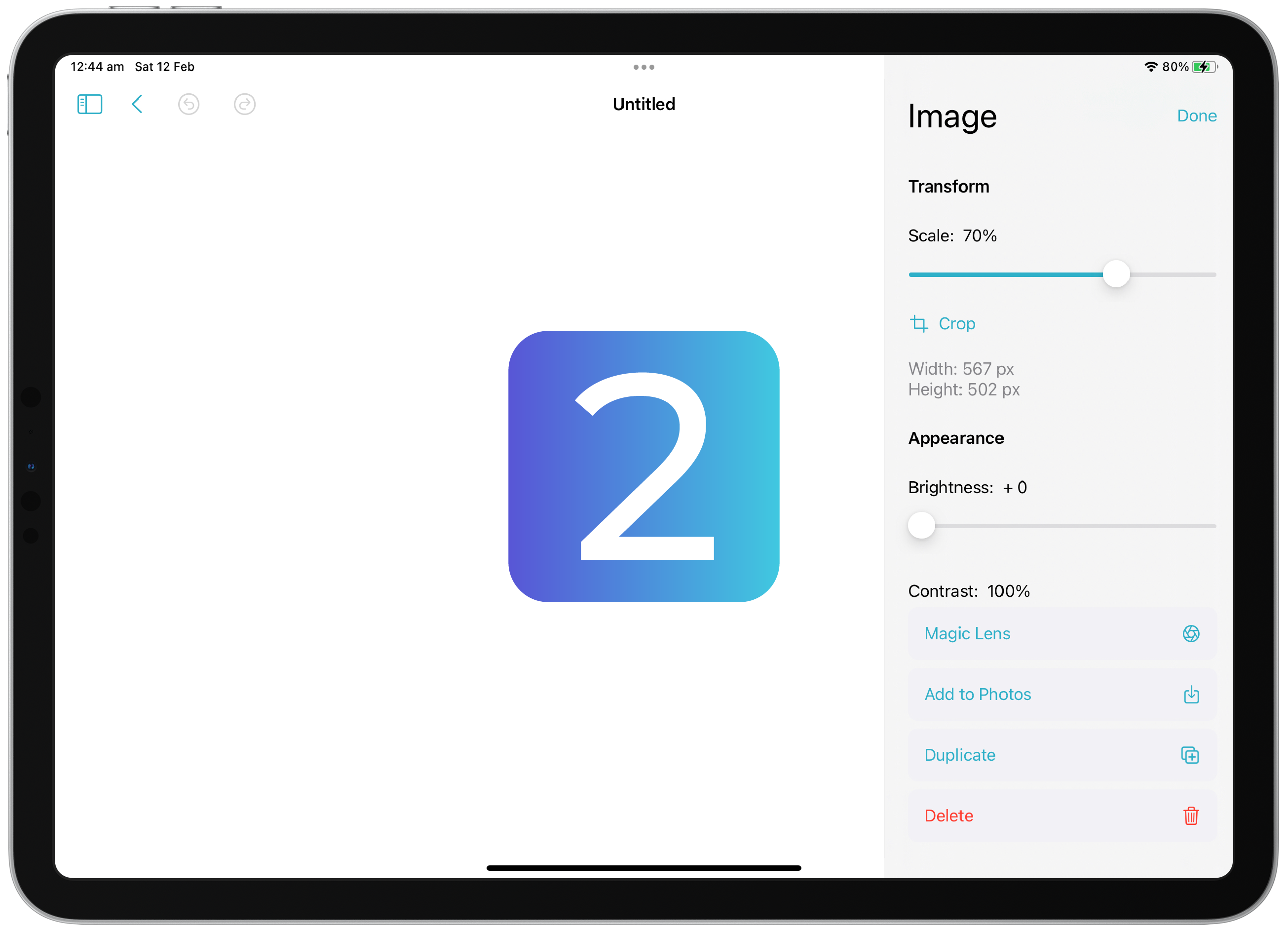
- Added support for SharePlay in iPadOS 15 and macOS Monterey.
- Introduced Magic Lens and Magic Wand: Convert handwriting to text and detect headings with Magic Wand. Automatically crop diagrams with Magic Lens.
- Draw a star to the left of a handwritten heading, and use Magic Wand to convert that handwriting into an AxNote Section.
- Added support for tables.
- Added support for QuickTool customization with AxNote+.
- Added document scanning.
- Layouts: Save Layouts as shareable and reusable templates with AxNote+.
- Redesigned many UI elements, making them more consise.
- Refreshed the app’s branding.
- Integrated AxNote with the Files app.
- Added support for typed data detectors.
- Added support for point-accurate exporting and printing.
- Improved the color accuracy of exported documents.
- Added support for Quick Look and thumbnails for .xnd files.
- Relayered images, allowing you to draw directly over them.
- Reduced the size of .xnd files.
- Improved multi-window and split view support.
- Fixed a bug where typed paragraphs and drawings would not simultaneously expand in height.
- Fixed a bug where the order of Sections in the sidebar wouldn’t be updated when Sections are moved.
- Fixed inconsistent undo/redo behavior.
- Notes and Layouts saved in AxNote 2.0 cannot be opened in AxNote 1.1.6 or earlier.
- AxNote 2.0 drops support for iPadOS 13 and macOS Catalina, and now requires iPadOS 14+ or macOS 11+.
- You cannot use AxNote 1.1.6 or earlier alongside AxNote 2.0 on macOS.
- Your name is no longer added to the metadata of notes.
- Spaces have become folders in the Files app. You can now create and store your notes anywhere — including in the cloud.
- When upgrading to AxNote 2.0 from 1.1.6 or earlier, you’ll be prompted to save your old notes and Layouts. This will be a .zip folder with folders containing your old Spaces.
- Cover Images are no longer available. Your existing Cover Images are saved in the archive of your old notes.
- French localization is currently unavailable.
- AxNote 2 for Mac is currently unavailable.