> ## Documentation Index
> Fetch the complete documentation index at: https://support.animantlabs.com/llms.txt
> Use this file to discover all available pages before exploring further.
# Updates
> Latest version: 3.1.4
## 3.x
### 3.1.4 (Calligraphy Update 1.4)
*Released 22 June 2026*
This update includes the following improvements:
* Fixed a bug where audio transcriptions and summaries may have been unavailable when the recording language differed from English
* Improved the stability of audio transcriptions
Availability: iOS 26.0+, iPadOS 26.0+, macOS Tahoe 26.0+, visionOS 26.0+
### 3.1.3 (Calligraphy Update 1.3)
*Released 1 April 2026*
This update fixes a bug where images may have appeared in an incorrect orientation.
App Availability: macOS Tahoe 26.0+
### 3.1.2 (Calligraphy Update 1.2)
*Released 7 February 2026*
This update includes the following improvements:
* Added support for Quick Look on iOS and macOS
* Bug fixes
Availability: iOS 26.0+, iPadOS 26.0+, macOS Tahoe 26.0+, visionOS 26.0+
### 3.1.1 (Calligraphy Update 1.1)
*Released 17 January 2026*
This update includes bug fixes.
Availability: iOS 26.0+, iPadOS 26.0+, macOS Tahoe 26.0+, visionOS 26.0+
### 3.1 (Calligraphy Update 1)
*Released 16 January 2026*
This update includes the following improvements:
* Introducing Audio Topic Summaries: AxNote finds key topics discussed in your recordings and can provide summaries and answers using your recording as a source of truth.
* Added support for audio transcript search
* Bug fixes
Note:
* Notes created in AxNote 3.1 and later cannot be opened in AxNote 3.0.1 or earlier.
Availability: iOS 26.0+, iPadOS 26.0+, macOS Tahoe 26.0+, visionOS 26.0+
### 3.0.1 (Calligraphy Update 0.1)
*Released 6 January 2026*
This update includes the following improvements:
* Added support for thumbnails
* Added a new Laser Pointer tool
* Added support for importing and exporting CSV files to tables
* Added an audio visualiser when recording
* Added tooltips to toolbar items
* UI improvements for visionOS
* Bug fixes and performance improvements
Note:
* Notes created in AxNote 3.0.1 and later cannot be opened in AxNote 3.0 or earlier.
Availability: iOS 26.0+, iPadOS 26.0+, macOS Tahoe 26.0+, visionOS 26.0+
### 3.0 (Calligraphy)
*Released 24 December 2025*
 Welcome to AxNote 3. This update includes a broad redesign with intelligence features to supercharge your note-taking.
* Introducing Magic Summary: Turn text, handwriting, and audio recordings into summary cards. Export summaries to PDFs or plain text for use in other platforms. (Requires a device with Apple Intelligence)
* Added support for audio recording and transcription
* Added support for multiple pages inside a single document
* Snap shapes by holding down your Apple Pencil
* Added support for vector shapes
* Adopted the new Liquid Glass design in iOS 26, iPadOS 26, and macOS Tahoe 26
* Added support for HDR inks and images
* Text boxes and the canvas are now unified
* Added integration with Image Playground (requires a device with Apple Intelligence)
* Unified Sections and Pins in the new Bookmarks feature
Note:
* This update drops support for iOS 15, iPadOS 15, macOS Big Sur 11, and visionOS 1.
* Notes created in AxNote 3 and later cannot be opened in AxNote 2.3.1 or earlier.
* This update drops support for creating and editing documents saved in the Legacy AxNote Document (.xnd) format. Older files can still be viewed.
* SharePlay collaboration is currently unavailable and will return in a future update.
Availability: iOS 26.0+, iPadOS 26.0+, macOS Tahoe 26.0+, visionOS 26.1+
## 2.x
### 2.3.1 (Fluent Update 3.1)
*Released April 2024*
This update contains performance and usability improvements across all platforms:
* Introducing AxNote for Apple Vision Pro. Create, edit, and visualize all on an infinite canvas that’s larger than life.
* Added support for new markup tools (requires iOS or iPadOS 17 or later).
* Added support for barrel-roll drawing with Apple Pencil Pro (requires iOS or iPadOS 17.5 or later).
* Improved stability
Availability: iOS 15.0+, iPadOS 15.0+, visionOS 1.0+
### 2.2.1 (Fluent Update 2.1)
*Released 23 January 2023*
This update contains iPhone and Split View usability improvements, as well as additional bug fixes.
Availability: iOS 14.0+, iPadOS 14.0+
### 2.2 (Fluent Update 2)
*Released 8 December 2022*
Welcome to AxNote 3. This update includes a broad redesign with intelligence features to supercharge your note-taking.
* Introducing Magic Summary: Turn text, handwriting, and audio recordings into summary cards. Export summaries to PDFs or plain text for use in other platforms. (Requires a device with Apple Intelligence)
* Added support for audio recording and transcription
* Added support for multiple pages inside a single document
* Snap shapes by holding down your Apple Pencil
* Added support for vector shapes
* Adopted the new Liquid Glass design in iOS 26, iPadOS 26, and macOS Tahoe 26
* Added support for HDR inks and images
* Text boxes and the canvas are now unified
* Added integration with Image Playground (requires a device with Apple Intelligence)
* Unified Sections and Pins in the new Bookmarks feature
Note:
* This update drops support for iOS 15, iPadOS 15, macOS Big Sur 11, and visionOS 1.
* Notes created in AxNote 3 and later cannot be opened in AxNote 2.3.1 or earlier.
* This update drops support for creating and editing documents saved in the Legacy AxNote Document (.xnd) format. Older files can still be viewed.
* SharePlay collaboration is currently unavailable and will return in a future update.
Availability: iOS 26.0+, iPadOS 26.0+, macOS Tahoe 26.0+, visionOS 26.1+
## 2.x
### 2.3.1 (Fluent Update 3.1)
*Released April 2024*
This update contains performance and usability improvements across all platforms:
* Introducing AxNote for Apple Vision Pro. Create, edit, and visualize all on an infinite canvas that’s larger than life.
* Added support for new markup tools (requires iOS or iPadOS 17 or later).
* Added support for barrel-roll drawing with Apple Pencil Pro (requires iOS or iPadOS 17.5 or later).
* Improved stability
Availability: iOS 15.0+, iPadOS 15.0+, visionOS 1.0+
### 2.2.1 (Fluent Update 2.1)
*Released 23 January 2023*
This update contains iPhone and Split View usability improvements, as well as additional bug fixes.
Availability: iOS 14.0+, iPadOS 14.0+
### 2.2 (Fluent Update 2)
*Released 8 December 2022*
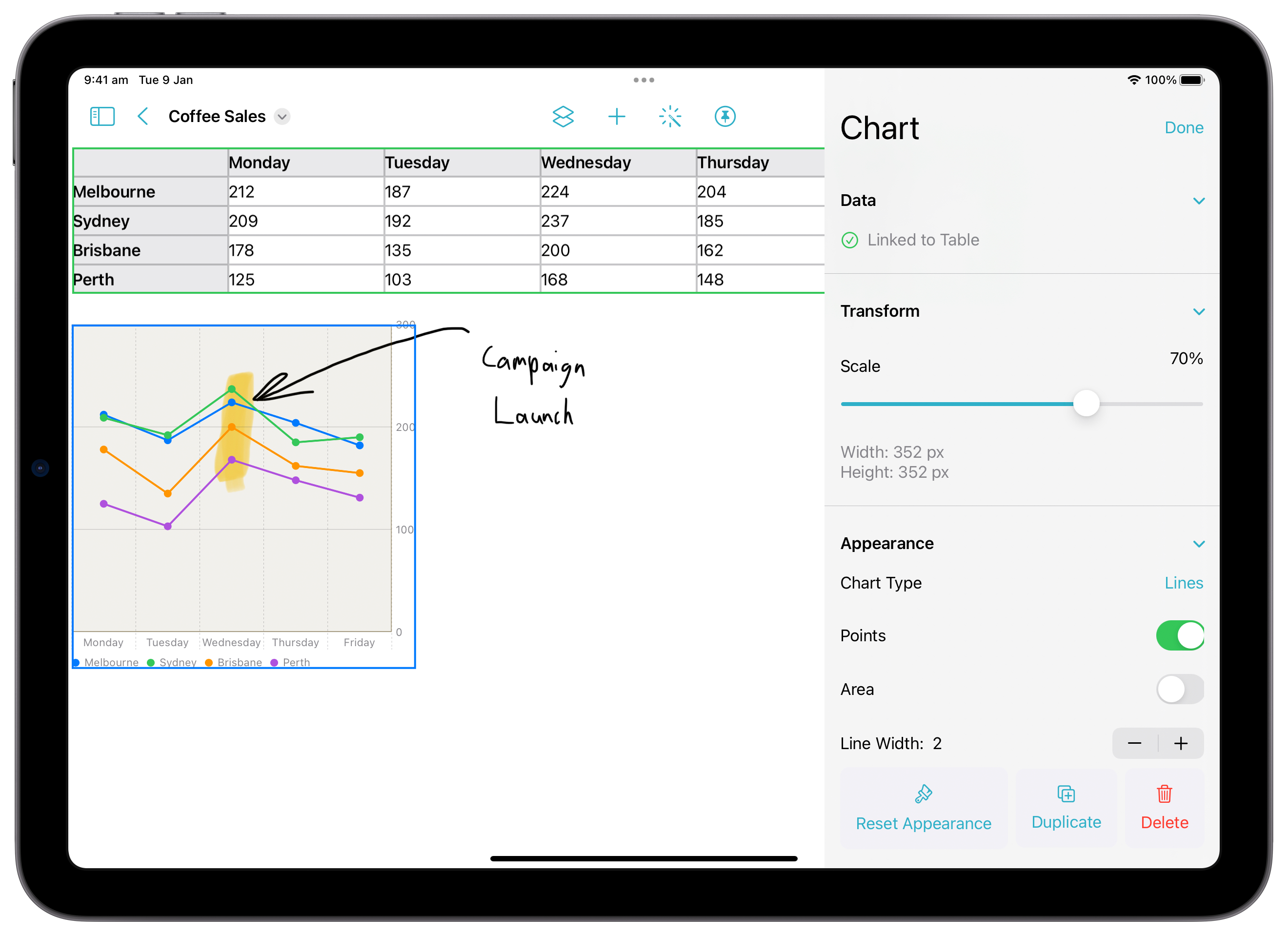 AxNote 2.2 is packed with bug fixes and the following new features:
* Charts: Create beautiful data visualizations from your Tables (requires iOS 16)
* Collaboration: Start a SharePlay session from within AxNote (requires iOS 15.4 or later)
* Introduced AxNote to the iPhone
* Improved Accessibility usage
* Enhanced Split View and Slide Over usage
* Tables have been redesigned with header rows and columns
* UI refinements
* Introduced the ability to customize the toolbar (requires iPadOS 16)
* Introduced a refreshed onboarding experience
* Context menus for objects now display relevant options
* Fixed a bug where some documents may have failed to export fully
* Fixed a bug where a SharePlay session may have abruptly ended when the host closes a document
* Fixed a bug where Sections may not have synchronized over SharePlay sessions
Note:
* Notes and Layouts saved in AxNote 2.2 cannot be opened in AxNote 2.1.1 or earlier
* Earlier versions of AxNote are incompatible with iPadOS 16 and macOS Ventura
Availability: iOS 14.0+, iPadOS 14.0+
### 2.1.1 (Fluent Update 1.1)
*Released 19 June 2022*
This update fixes a bug where large documents may fail to save correctly.
Availability: iPadOS 14.0+
### 2.1 (Fluent Update 1)
*Released 28 March 2022*
AxNote 2.2 is packed with bug fixes and the following new features:
* Charts: Create beautiful data visualizations from your Tables (requires iOS 16)
* Collaboration: Start a SharePlay session from within AxNote (requires iOS 15.4 or later)
* Introduced AxNote to the iPhone
* Improved Accessibility usage
* Enhanced Split View and Slide Over usage
* Tables have been redesigned with header rows and columns
* UI refinements
* Introduced the ability to customize the toolbar (requires iPadOS 16)
* Introduced a refreshed onboarding experience
* Context menus for objects now display relevant options
* Fixed a bug where some documents may have failed to export fully
* Fixed a bug where a SharePlay session may have abruptly ended when the host closes a document
* Fixed a bug where Sections may not have synchronized over SharePlay sessions
Note:
* Notes and Layouts saved in AxNote 2.2 cannot be opened in AxNote 2.1.1 or earlier
* Earlier versions of AxNote are incompatible with iPadOS 16 and macOS Ventura
Availability: iOS 14.0+, iPadOS 14.0+
### 2.1.1 (Fluent Update 1.1)
*Released 19 June 2022*
This update fixes a bug where large documents may fail to save correctly.
Availability: iPadOS 14.0+
### 2.1 (Fluent Update 1)
*Released 28 March 2022*
 This update contains the following new features and bug fixes:
* Added live Section previews in the sidebar.
* Added infinite horizontal scrolling.
* Added support for full-page screenshots.
* Added support for millimeter-precise line or grid spacing.
* Improved the app's usability in Split View and Slide Over.
* Increased the canvas overscroll length for better usability on large iPads.
* Added a dotted grid Layout Style.
* Added support for custom line and margin colors and opacities.
* Text boxes can be added right where you want them just by a double tap or click.
* You can now export pins as images.
* Notes now export using the enabled layers.
* Minor UI improvements.
* Fixed a bug where notes may not properly export as images.
* Fixed a bug where a Layout background colour may not have been included in an exported PDF or image.
* Fixed a bug where a lined or grid paper Layout may not have automatically expanded with the canvas.
* Fixed a bug where a file may not have been openable through the Finder on Mac.
Notes:
* Notes and Layouts saved in AxNote 2.1 cannot be opened in AxNote 2.0.2 or earlier.
Availability: iPadOS 14.0+
### 2.0.2 (Fluent Update 0.2)
*Released 11 March 2022*
This update contains bug fixes, adds support for the native Mac toolbar, and adds support for standard keyboard shortcuts.
Availability: iPadOS 14.0+, macOS Big Sur 11.0+
### 2.0.1 (Fluent Update 0.1)
*Released 20 February 2022*
This update contains several improvements.
* Improved the usability of the app with accessibility features like VoiceOver.
* Brought AxNote 2 to the Mac.
* Improved the accuracy of Magic Wand shapes.
* Reduced the price of AxNote+ from 9.99 USD to 7.99 USD.
* Fixed a bug where toast notifications might be unreadable when Magic Wand is active.
* Fixed a crash when selecting the 'Sections' label in the sidebar.
* Fixed a crash that sometimes occurred when selecting a Layout.
Availability: iPadOS 14.0+, macOS Big Sur 11.0+
### 2.0 (Fluent)
*Released 12 February 2022*
This update contains the following new features and bug fixes:
* Added live Section previews in the sidebar.
* Added infinite horizontal scrolling.
* Added support for full-page screenshots.
* Added support for millimeter-precise line or grid spacing.
* Improved the app's usability in Split View and Slide Over.
* Increased the canvas overscroll length for better usability on large iPads.
* Added a dotted grid Layout Style.
* Added support for custom line and margin colors and opacities.
* Text boxes can be added right where you want them just by a double tap or click.
* You can now export pins as images.
* Notes now export using the enabled layers.
* Minor UI improvements.
* Fixed a bug where notes may not properly export as images.
* Fixed a bug where a Layout background colour may not have been included in an exported PDF or image.
* Fixed a bug where a lined or grid paper Layout may not have automatically expanded with the canvas.
* Fixed a bug where a file may not have been openable through the Finder on Mac.
Notes:
* Notes and Layouts saved in AxNote 2.1 cannot be opened in AxNote 2.0.2 or earlier.
Availability: iPadOS 14.0+
### 2.0.2 (Fluent Update 0.2)
*Released 11 March 2022*
This update contains bug fixes, adds support for the native Mac toolbar, and adds support for standard keyboard shortcuts.
Availability: iPadOS 14.0+, macOS Big Sur 11.0+
### 2.0.1 (Fluent Update 0.1)
*Released 20 February 2022*
This update contains several improvements.
* Improved the usability of the app with accessibility features like VoiceOver.
* Brought AxNote 2 to the Mac.
* Improved the accuracy of Magic Wand shapes.
* Reduced the price of AxNote+ from 9.99 USD to 7.99 USD.
* Fixed a bug where toast notifications might be unreadable when Magic Wand is active.
* Fixed a crash when selecting the 'Sections' label in the sidebar.
* Fixed a crash that sometimes occurred when selecting a Layout.
Availability: iPadOS 14.0+, macOS Big Sur 11.0+
### 2.0 (Fluent)
*Released 12 February 2022*
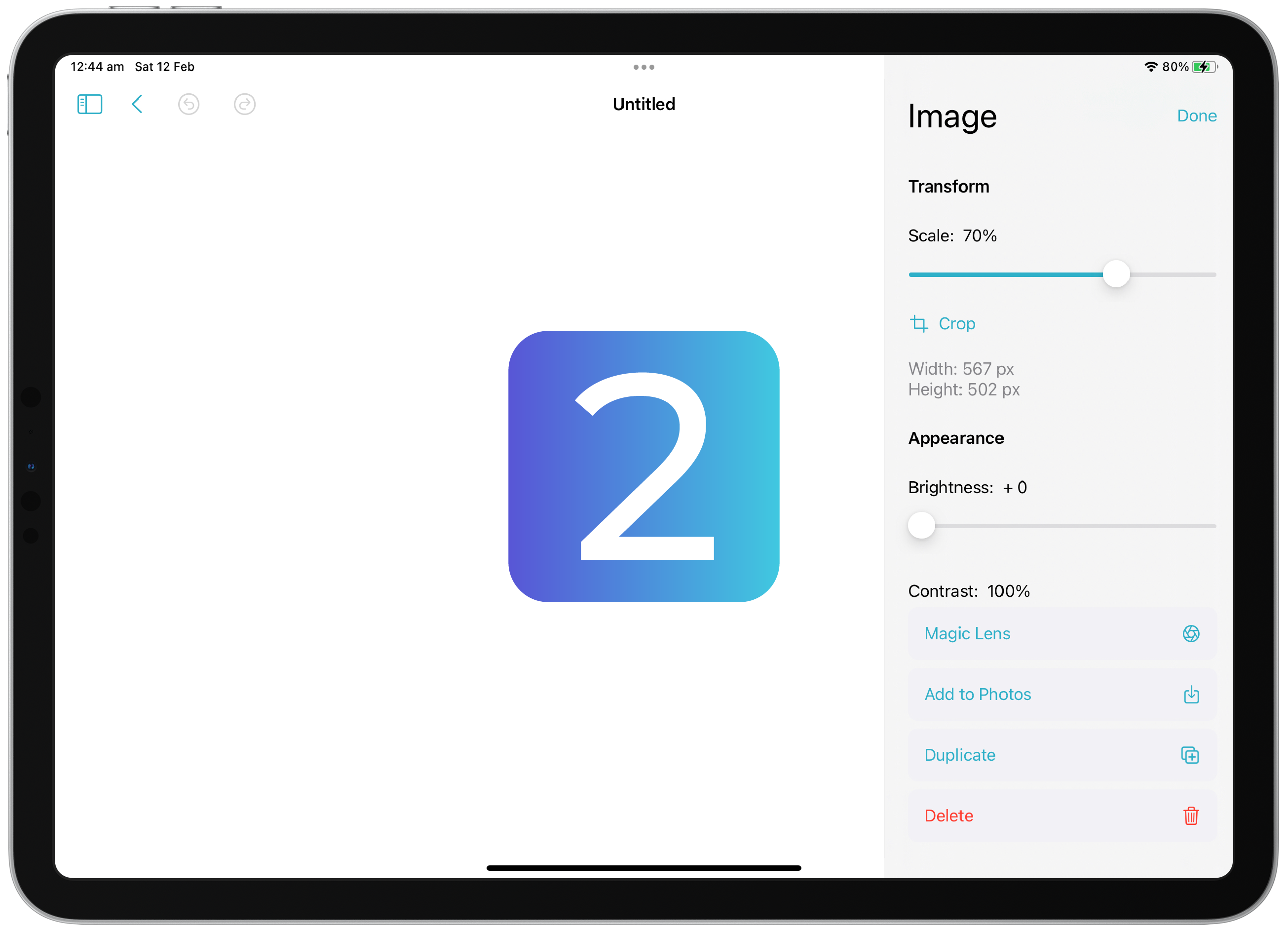 AxNote 2.0 brings a revamped interface and several exciting features that enable you to get more out of your notes.
* Added support for SharePlay in iPadOS 15 and macOS Monterey.
* Introduced Magic Lens and Magic Wand: Convert handwriting to text and detect headings with Magic Wand. Automatically crop diagrams with Magic Lens.
* Draw a star to the left of a handwritten heading, and use Magic Wand to convert that handwriting into an AxNote Section.
* Added support for tables.
* Added support for QuickTool customization with AxNote+.
* Added document scanning.
* Layouts: Save Layouts as shareable and reusable templates with AxNote+.
* Redesigned many UI elements, making them more consise.
* Refreshed the app's branding.
* Integrated AxNote with the Files app.
* Added support for typed data detectors.
* Added support for point-accurate exporting and printing.
* Improved the color accuracy of exported documents.
* Added support for Quick Look and thumbnails for .xnd files.
* Relayered images, allowing you to draw directly over them.
* Reduced the size of .xnd files.
* Improved multi-window and split view support.
* Fixed a bug where typed paragraphs and drawings would not simultaneously expand in height.
* Fixed a bug where the order of Sections in the sidebar wouldn't be updated when Sections are moved.
* Fixed inconsistent undo/redo behavior.
Notes:
* Notes and Layouts saved in AxNote 2.0 cannot be opened in AxNote 1.1.6 or earlier.
* AxNote 2.0 drops support for iPadOS 13 and macOS Catalina, and now requires iPadOS 14+ or macOS 11+.
* You cannot use AxNote 1.1.6 or earlier alongside AxNote 2.0 on macOS.
* Your name is no longer added to the metadata of notes.
* Spaces have become folders in the Files app. You can now create and store your notes anywhere — including in the cloud.
* When upgrading to AxNote 2.0 from 1.1.6 or earlier, you'll be prompted to save your old notes and Layouts. This will be a .zip folder with folders containing your old Spaces.
* Cover Images are no longer available. Your existing Cover Images are saved in the archive of your old notes.
* French localization is currently unavailable.
* AxNote 2 for Mac is currently unavailable.
Availability: iPadOS 14.0+
AxNote 2.0 brings a revamped interface and several exciting features that enable you to get more out of your notes.
* Added support for SharePlay in iPadOS 15 and macOS Monterey.
* Introduced Magic Lens and Magic Wand: Convert handwriting to text and detect headings with Magic Wand. Automatically crop diagrams with Magic Lens.
* Draw a star to the left of a handwritten heading, and use Magic Wand to convert that handwriting into an AxNote Section.
* Added support for tables.
* Added support for QuickTool customization with AxNote+.
* Added document scanning.
* Layouts: Save Layouts as shareable and reusable templates with AxNote+.
* Redesigned many UI elements, making them more consise.
* Refreshed the app's branding.
* Integrated AxNote with the Files app.
* Added support for typed data detectors.
* Added support for point-accurate exporting and printing.
* Improved the color accuracy of exported documents.
* Added support for Quick Look and thumbnails for .xnd files.
* Relayered images, allowing you to draw directly over them.
* Reduced the size of .xnd files.
* Improved multi-window and split view support.
* Fixed a bug where typed paragraphs and drawings would not simultaneously expand in height.
* Fixed a bug where the order of Sections in the sidebar wouldn't be updated when Sections are moved.
* Fixed inconsistent undo/redo behavior.
Notes:
* Notes and Layouts saved in AxNote 2.0 cannot be opened in AxNote 1.1.6 or earlier.
* AxNote 2.0 drops support for iPadOS 13 and macOS Catalina, and now requires iPadOS 14+ or macOS 11+.
* You cannot use AxNote 1.1.6 or earlier alongside AxNote 2.0 on macOS.
* Your name is no longer added to the metadata of notes.
* Spaces have become folders in the Files app. You can now create and store your notes anywhere — including in the cloud.
* When upgrading to AxNote 2.0 from 1.1.6 or earlier, you'll be prompted to save your old notes and Layouts. This will be a .zip folder with folders containing your old Spaces.
* Cover Images are no longer available. Your existing Cover Images are saved in the archive of your old notes.
* French localization is currently unavailable.
* AxNote 2 for Mac is currently unavailable.
Availability: iPadOS 14.0+